
Merchants
Merchant Guides
Everything shop owners and staff need to run kaijustamps — friendly guides, zero overwhelm.
Hi! If you're running a shop on kaijustamps, you're in the right place.
These guides walk you through the merchant console — from your first login to issuing cards, adding stamps, and redeeming rewards. Pick the topic you need and we'll cheer you through it.
Your brand at a glance
Every shop runs inside a brand (your organization). The brand home shows member counts, pending invites, and a setup guide until the stamp card and billing are ready.
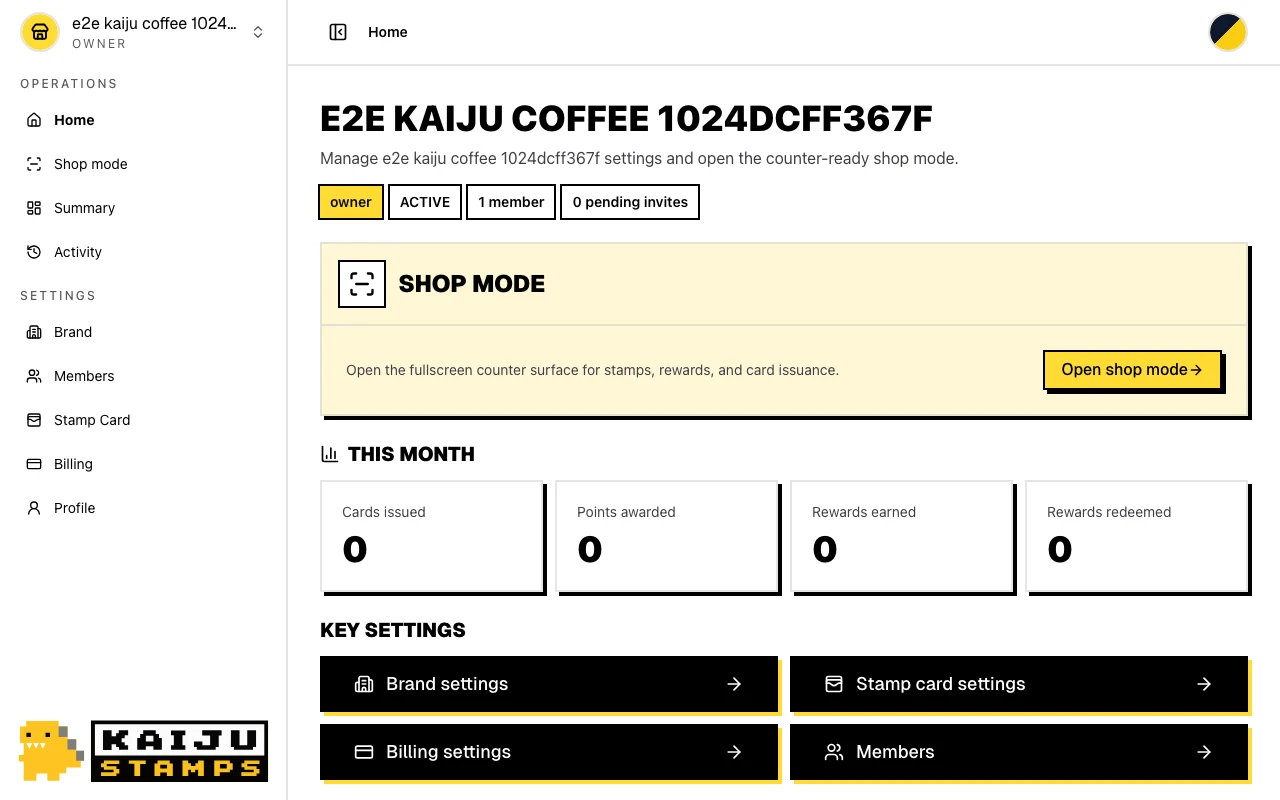
Where to start
| I want to… | Start here |
|---|---|
| Sign in or update my account | Sign In & Account |
| Create or switch brands | Brand & Organization |
| Invite shop staff | Team Members |
| Design my stamp card | Stamp Card Program |
| Issue a card at the counter | Card Issuance |
| Add stamps on return visits | Stamp Accrual |
| Redeem customer rewards | Reward Operations |
| Manage subscription & billing | Billing |
| Contact support | Open Support from the account menu |
Roles at a glance
owner— Full access: brand setup, billing, stamp card settings, members, and shop operations.admin— Same as owner for day-to-day management (cannot transfer ownership alone).member— Shop operations only: issuance, stamp accrual, and reward redemption at the counter.
Tips
- One account, many brands. You can run multiple shops from a single merchant login and switch between them anytime.
- Publish before issuing. Your stamp card program must be active before customers can receive cards.
- New here? Start with the Standard Shop Card Journey for the full end-to-end flow.