
My Card Page
Open your stamp card from Apple Wallet or Google Wallet and check progress anytime — no login required.
Your stamp card lives in your phone's wallet — but you can also open a full My Card Page in your browser for a detailed view of stamps, rewards, and history.
This guide shows how to find your pass in Apple Wallet or Google Wallet and open Open My Page from the pass back.
Who can use this
- Customers who saved their card to Apple Wallet or Google Wallet
- Anyone who wants to check stamp progress, upcoming rewards, or reward history without creating an account
Apple Wallet — view your pass
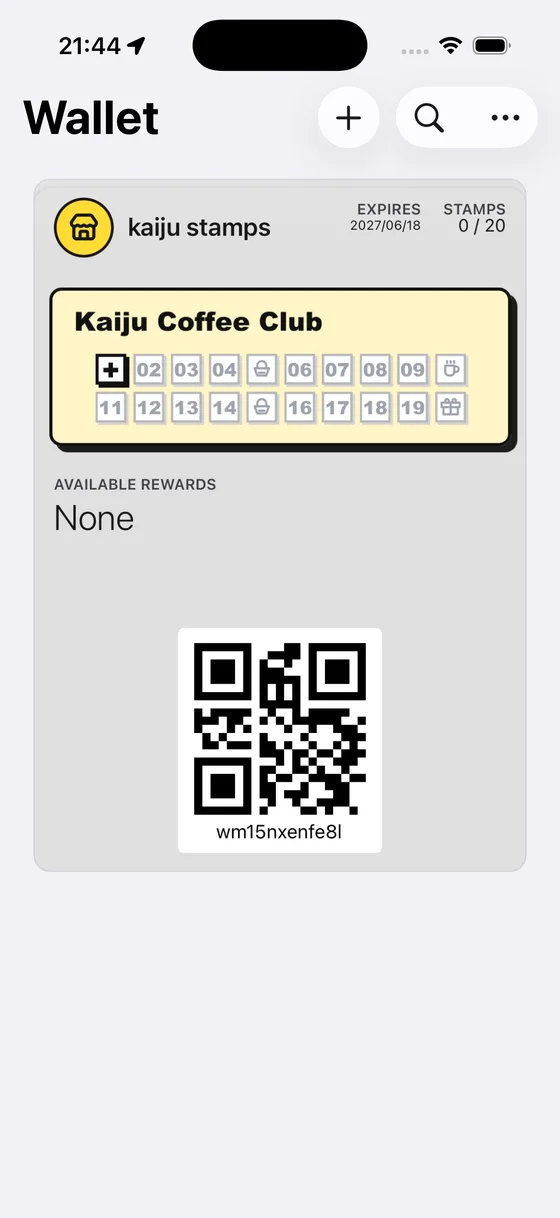
1. Open Wallet and select your pass
Open the Wallet app and tap your shop's stamp card. The front shows your current stamp count, stamp grid, and Wallet QR for shop visits.
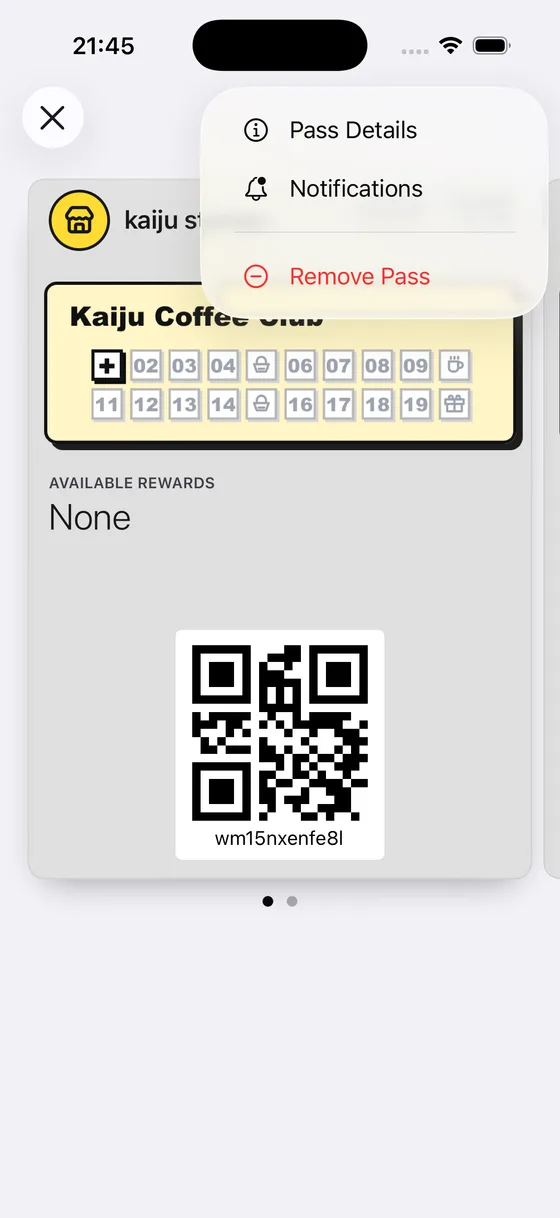
2. Flip to the pass back
Tap your pass to turn it over. You'll see pass details and actions — including Open My Page.
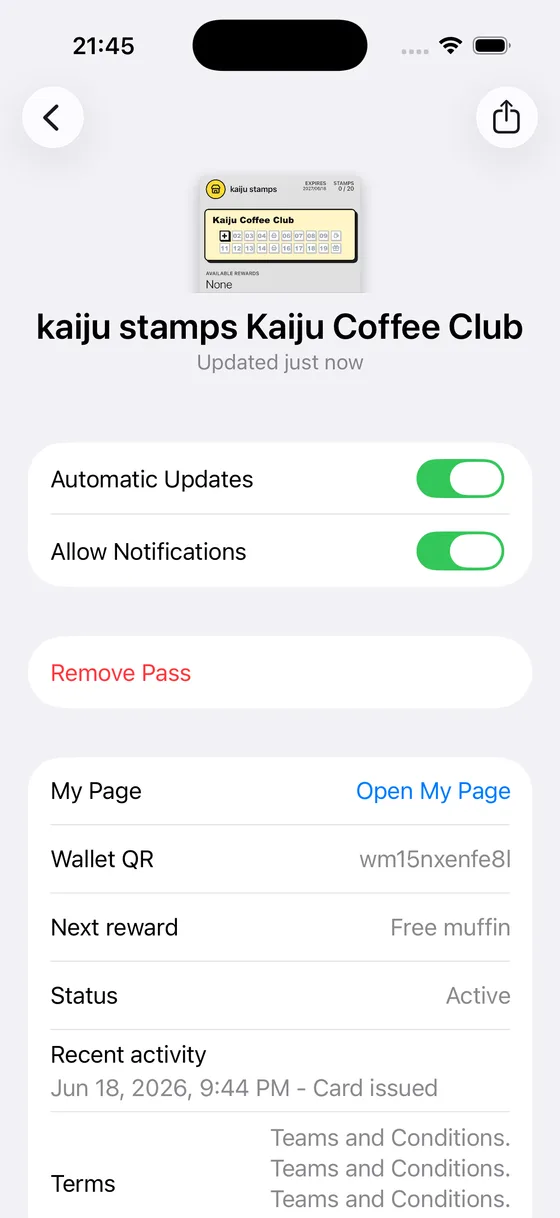
3. Review pass details
The back shows stamp progress, expiry, available rewards, and links. Open My Page takes you to your full card page in the browser.
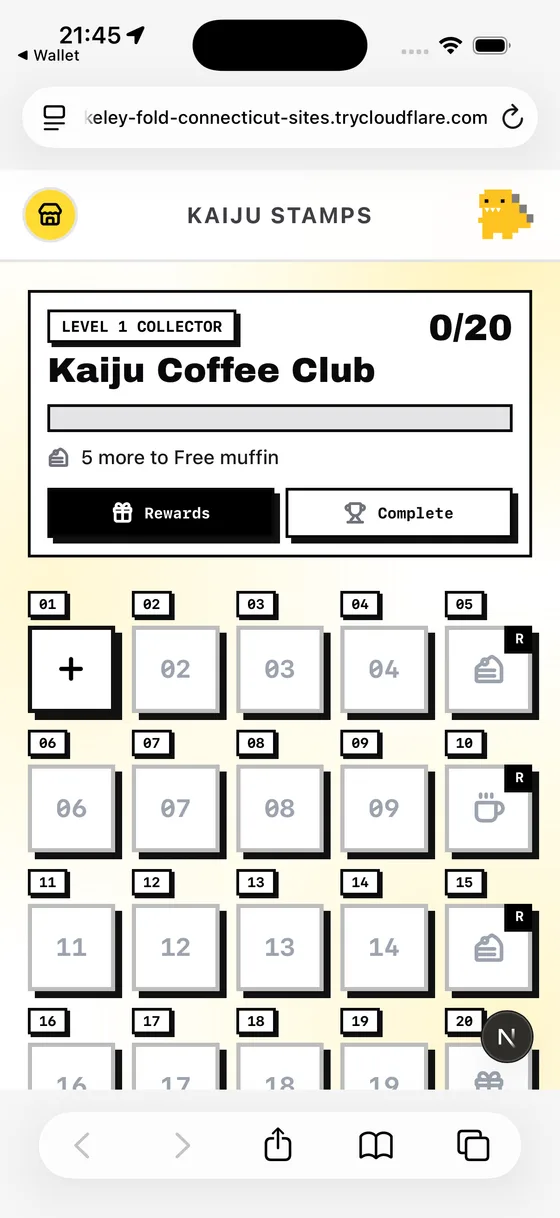
4. Open My Page in your browser
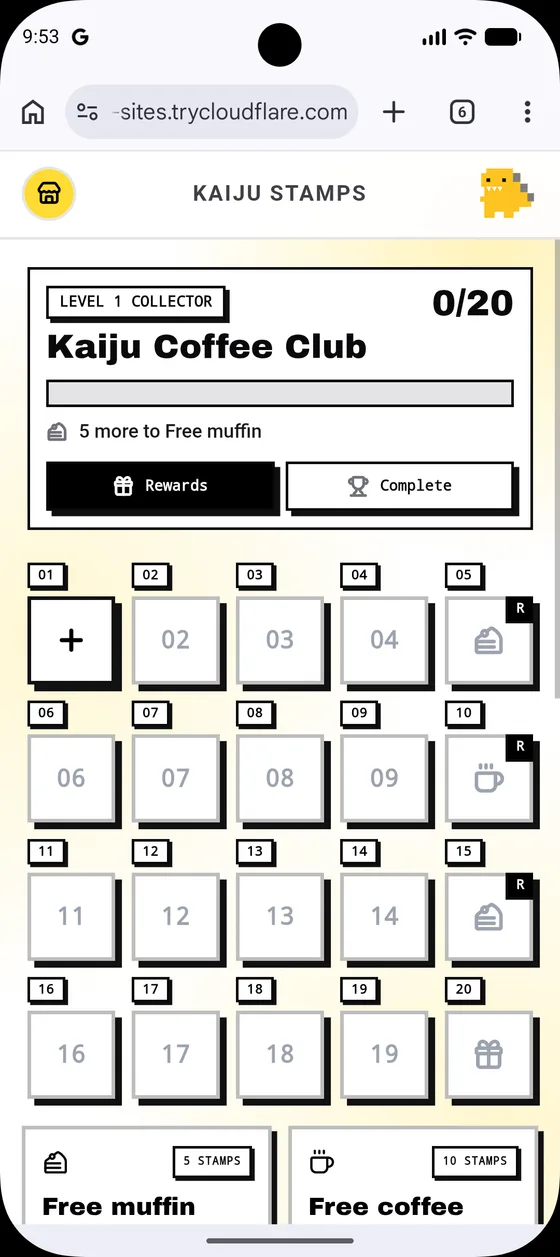
Tap Open My Page. Your browser opens the card page — stamp grid, reward milestones, and tabs for Rewards and Complete — no sign-in required.
Google Wallet — view your pass
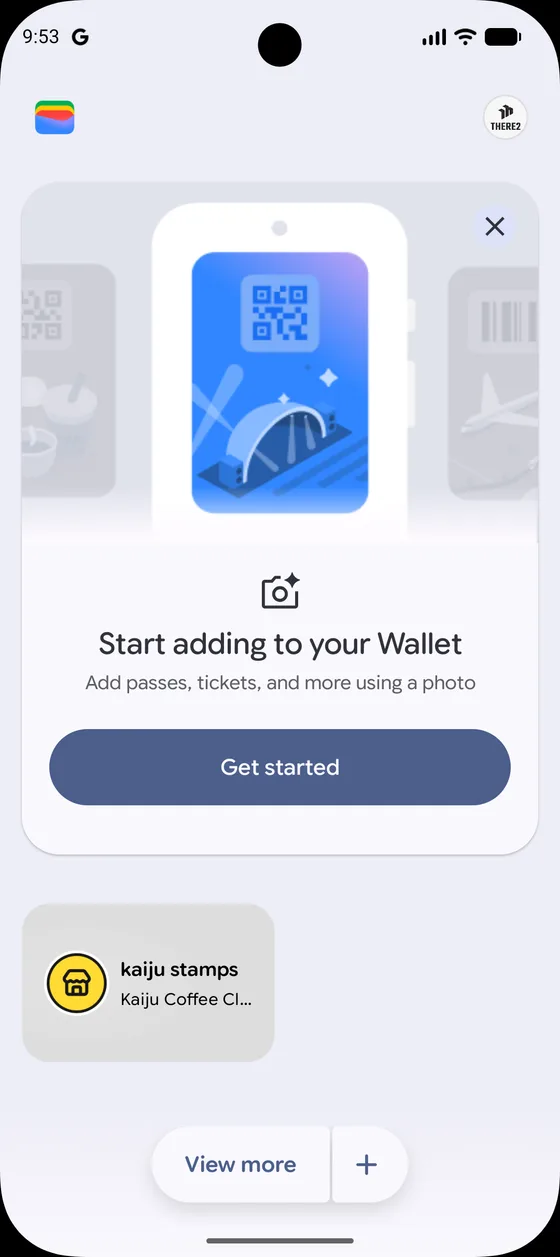
1. Open Google Wallet
Launch Google Wallet from your home screen or app drawer. Your saved passes appear here.
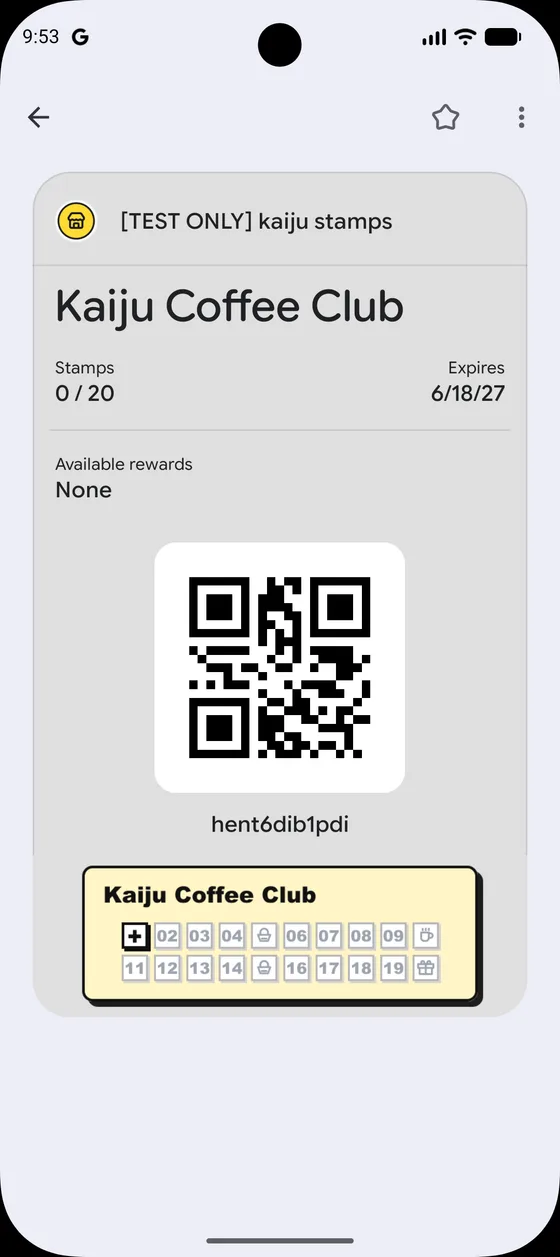
2. Open your stamp card
Tap your shop's stamp card to see the front — stamp count, rewards summary, and a scannable code for the shop.
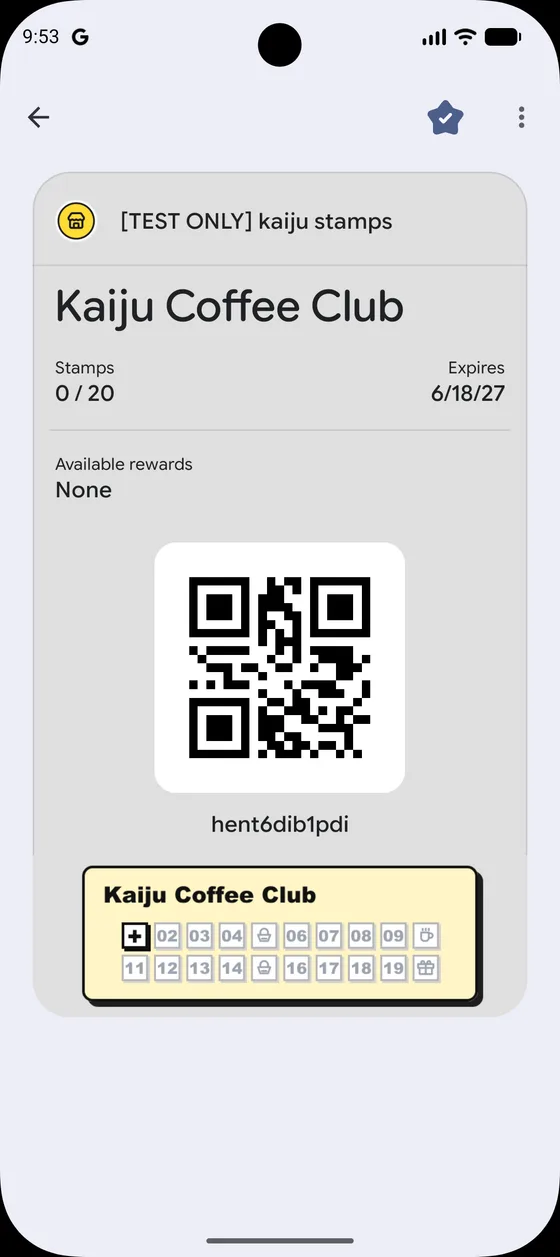
3. Pin it for quick access (optional)
Long-press your pass and choose Add to Favorites (or similar) so it appears at the top of Google Wallet for faster access on return visits.
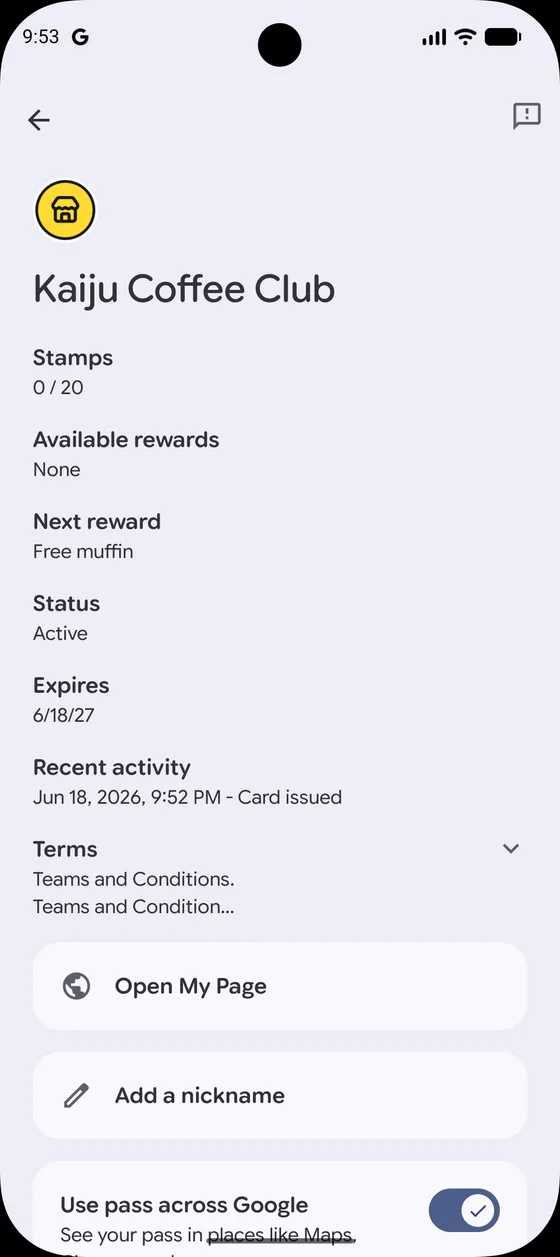
4. View pass details and Open My Page
Open the pass details to see stamp progress, expiry, and Open My Page. Tap it to open your full card page in the browser.
What you'll see on My Card Page
- Stamp progress — how many stamps you've collected and what's next
- Reward milestones — intermediate and final rewards for your card
- Rewards tab — earned rewards ready to redeem (see Redeem Rewards)
- Complete tab — history of finished card rounds
Tips / Common issues
- No account needed. Your wallet pass link is personal to your card — bookmark the My Page URL if you like, but your wallet pass is the easiest way back.
- Pass updates automatically. When staff add stamps, your wallet pass and My Page stay in sync.
- Can't find the pass? Search "Wallet" (iPhone) or "Google Wallet" (Android) and look for your shop's card name.
- Earned a reward? Head to Redeem Rewards to learn how to show it at the shop.